
Manok Na Pula Mod APK for iOS – Availability, Download and Setup Guide
Finding an iPhone download can get confusing when a page promises unlimited money but offers an Android file. Before you tap a download button, check which version it actually provides. That small step can save you a lot of time. Manok Na Pula is available for iPhone and iPad through the App Store. However, a working Manok Na Pula Mod APK for iOS hasn’t been verified for this guide. An Android APK cannot be installed as an iPhone app. Below, you’ll find the official iOS app details, installation steps, and help with updates and common problems. The guide also explains purchases, Game Center, and what to check before moving your progress between devices.
In this guide
- Is Manok Na Pula Mod APK Available for iOS?
- Manok Na Pula for iOS – Game Information
- What Is Manok Na Pula for iPhone and iPad?
- Manok Na Pula iOS Requirements and Compatibility
- How to Download and Install Manok Na Pula on iOS
- Features of Manok Na Pula on iPhone and iPad
- Unlimited Money and Unlocked Chickens: What Does the iOS Version Offer?
- How to Play Manok Na Pula on iPhone and iPad
- Multiplayer, Game Center and Saved Progress
- Manok Na Pula on iOS vs Android
- How to Update Manok Na Pula on iOS
- Common Manok Na Pula iOS Problems and Fixes
- Frequently Asked Questions
- Final Thoughts
Is Manok Na Pula Mod APK Available for iOS?
The official iOS game is available. Claims about a modified iPhone version need separate verification, including proof that the file is an actual iOS build and that its advertised features work.
Can You Install an Android APK on an iPhone?
No. An APK contains an Android app and is designed to run on Android. Opening it in Safari or saving it to Files doesn’t make it compatible with iOS. For this game, use the verified App Store installation route below.
APK vs IPA: What Is the Difference?
APK and IPA refer to packages built for different platforms. The file extension is only one part of that difference; the software inside must also support the operating system.
| Format | Intended platform | What it means for you |
|---|---|---|
| APK | Android | An Android installation package |
| IPA | Apple mobile platforms | An archive containing an app built for the relevant Apple platform |
Apple documents IPA files as exported app archives. Changing an APK’s name to end in “.ipa” doesn’t rebuild its code for iOS.
What Is Confirmed About an iOS Mod Version?
The confirmed download is the official App Store game. Third-party pages advertise iOS mods and signing-tool methods, but a download-page claim doesn’t establish a working modified app. No modified iOS file was installed or tested for this guide, so unlimited-resource claims remain unverified.
Manok Na Pula for iOS – Game Information
These details come from the US App Store listing checked on October 3, 2026. Your device’s store page is the final place to check availability and requirements.
| Item | App Store information |
|---|---|
| Official app name | Manok Na Pula – Multiplayer |
| Developer | TATAY GAMES |
| Seller | Joseph Anthony Pascual |
| Current iOS version checked | 8.2 |
| Listed app size | 224.6 MB |
| Minimum iPhone software | iOS 12.0 or later |
| Minimum iPad software | The listing specifies 12.0 or later in its iPad compatibility field |
| Supported mobile devices listed | iPhone, iPad, and iPod touch |
| Category | Action |
| Price | Free |
| In-app purchases | Yes |
| Game Center | Supported, with leaderboards |
Version, size, and purchase details can change with later releases.
What Is Manok Na Pula for iPhone and iPad?
It’s TATAY GAMES’ chicken-battle game built for Apple mobile devices. You manage a rooster collection and work through the options available in the iOS release.
Chicken Battles and Character Progression
The basic idea is to unlock chickens, improve their stats, and battle opponents. Start by learning what your current rooster can do. Then choose an upgrade goal that fits the resources you have.
How the Official iOS Version Works
Install the app through your Apple Account, then open it from your device. App updates arrive through the App Store, while optional purchases use Apple’s purchase flow. You don’t need to handle an APK or find a separate IPA for this installation method.
Manok Na Pula iOS Requirements and Compatibility
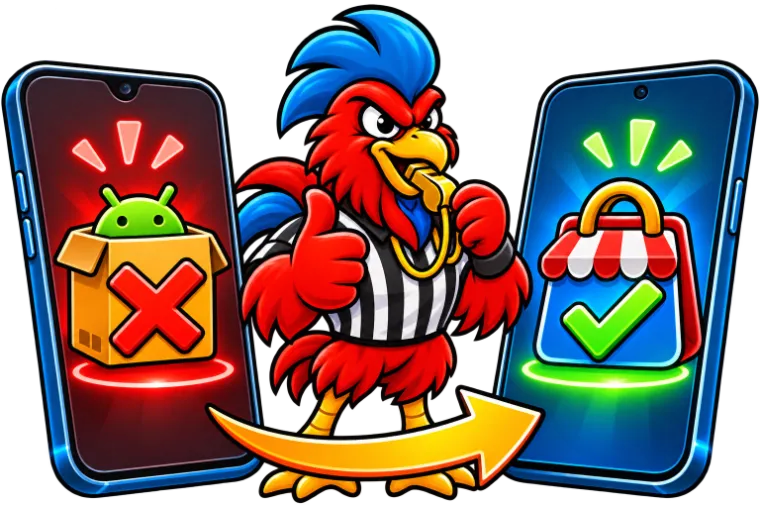
Check your software version and free storage before downloading. Meeting the listed minimum helps establish compatibility, but it doesn’t promise identical performance on every device.
Minimum iOS and iPadOS Versions
The App Store lists a minimum software version of 12.0 for both iPhone and iPad. Recheck the Compatibility section before installing, since a future release may raise that requirement.
How to Check Whether Your Device Is Compatible
Open Settings → General → About and find your software version. Compare it with the app’s Compatibility section, then open the listing on the device you plan to use. Any compatibility message there is more useful than a general claim that the game works on “all iPhones.”
Download Size and Available Storage
The listed app size is 224.6 MB, but keep additional space for installation, saved data, and updates. Check Settings → General → iPhone Storage or iPad Storage to see what’s available. That screen also shows how much space the installed game uses.
Internet Requirements for Downloads and Online Play
You need internet access to download the app, get updates, and use online services. A stable Wi-Fi connection is a useful starting point. If you use cellular data, check that it’s enabled for the relevant app and allowed by your data plan.
How to Download and Install Manok Na Pula on iOS
Use the official Manok Na Pula App Store listing. Check the app name and developer before confirming the download.
Step 1
Open the App Store
Open App Store on your iPhone or iPad. Make sure you’re signed in to the Apple Account you want to use for downloads and purchases.
Step 2
Search for Manok Na Pula – Multiplayer
Tap Search and enter Manok Na Pula – Multiplayer. Open the game’s full listing so you can review its details.
Step 3
Check the TATAY GAMES Developer Listing
Confirm that the developer is TATAY GAMES. Compare the title with the official listing instead of choosing an app based only on a similar icon.
Step 4
Tap Get and Confirm the Download
Tap Get, then follow the device’s confirmation prompt. Depending on your settings and model, you may authenticate with Face ID, Touch ID, or your Apple Account password. A previously downloaded app may show a cloud icon, while an installed app shows Open.
Step 5
Open the Game and Complete Initial Setup
Wait for installation to finish, then tap Open. Follow the game’s initial prompts and check that the menus respond normally. Review any account or save options before you start building a new collection.
Features of Manok Na Pula on iPhone and iPad
The iOS version has its own release history. Use that history when checking characters and features instead of assuming an Android update has already reached your iPhone.
Unlockable Chickens and Character Upgrades
The iOS notes list characters such as Ultra Sisiw, Manok na Magtataho, and Manok na Moja. Check each chicken’s requirements in your installed game. Choose your next target before spending resources across several upgrades.
Different Battle Arenas and Game Modes
Chocolate Hills and Universe Arena appear in the iOS release notes. Explore the available locations and mode selections as you progress. An arena’s name alone doesn’t tell you its rewards or rules.
Online Multiplayer Battles
The developer describes online battles with friends. Before arranging a match, check that both players have working connections and current game installations. Use the multiplayer options shown inside the app.
Game Center and Leaderboards
The App Store confirms Game Center and leaderboard support. Leaderboards let supported games compare player results, while other Game Center features depend on the developer’s implementation. Save restoration needs a separate check.
Touchscreen Gameplay on iPhone and iPad
Use the visible controls to move through the game’s menus and battle screens. On an iPad, position the device so you can reach the controls comfortably. Follow the prompts in your version before assuming it uses a particular gesture or attack combination.
Unlimited Money and Unlocked Chickens: What Does the iOS Version Offer?
Treat the official app as a game with progression and optional purchases. The reviewed listing doesn’t establish that a new installation includes unlimited currency or every chicken already unlocked.
How In-Game Currency and Rewards Work
Read the reward and upgrade screens to see what you earn and what each action costs. Check the currency type as well as the amount before spending. An advertised “unlimited money” feature shouldn’t be confused with a paid currency pack.
How Chicken Unlocks and Upgrades Work
Open a chicken’s details to check whether it’s available and what’s needed next. Unlocking a character and upgrading its stats are separate goals. Focus on a rooster you enjoy using, then compare its next upgrade with saving for another unlock.
What Is Included in In-App Purchases?
The US listing includes examples such as a no-ad purchase, Pera currency packs, and purchases for Manok na Robot, Samurai, and Taguro. Check the current item description and final price inside the app before confirming. A named purchase doesn’t imply unlimited access to every other item.
Which Mod Features Are Unverified on iOS?
This guide has not verified the following claims for a modified iOS build:
- Unlimited Money, Dragon Eye, or Magic Dust.
- Every chicken unlocked from the start.
- Level-1000 characters or one-hit victories.
- A working iOS mod menu with the same features as an Android mod.
A screenshot or an Android demonstration doesn’t establish that those features work on an iPhone.
How to Play Manok Na Pula on iPhone and iPad
Start with the game’s own prompts and a few simple battles. Learn where to find character information, costs, and results before making larger upgrades.
Learn the Touch Controls and Battle Interface
Check which parts of the screen accept taps and follow any control instructions. Read the battle information and result screen rather than tapping at random. If something doesn’t respond, test another menu to see whether the issue affects the whole app.
Choose Your Chicken and Enter a Battle
Select a chicken you’ve already unlocked and review its displayed stats. Choose an available battle and see how it performs. That first result gives you a useful starting point for deciding what to improve.
Collect Rewards and Upgrade Your Character
Review the rewards shown after a completed battle, then check your next upgrade’s cost. Keep one clear goal, such as improving your usual rooster or saving for another character. Spending a little everywhere can make that goal harder to track.
Explore the Available Modes and Arenas
Try the options your installed version presents, and read any entry conditions before starting. If one fight repeatedly defeats you, return after improving your setup. Keep notes on the chicken, level, and opponent so you can compare results.
Multiplayer, Game Center and Saved Progress
A multiplayer connection, a leaderboard profile, and a saved game are different things. Check each one before changing devices or reinstalling.
Set Up Game Center for Supported Features
Open Settings → Game Center, sign in if needed, and choose your profile details. On devices with Apple Games, you can also set up your Game Center profile through that app. Use the account you intend to keep for your supported gaming features.
Can iPhone Players Battle Android Players?
Cross-platform matchmaking wasn’t confirmed by the official material reviewed for this guide. Before promising a match with an Android friend, check the options in both installed versions or ask TATAY GAMES. Having the same game title on both phones doesn’t establish shared matchmaking.
Can You Transfer Android Progress to iOS?
No verified Android-to-iOS transfer procedure was found. Keep your Android installation while checking whether the developer offers a supported transfer method. Using the same email address for Google and Apple accounts doesn’t automatically connect the game saves.
Does Game Center Back Up Your Game Progress?
Not automatically for every game. Apple explains that iCloud and Game Center can keep progress across devices in supported games. Use the same relevant Apple Account, but verify that Manok Na Pula actually restores your collection before treating that sign-in as a backup.
Manok Na Pula on iOS vs Android
The two platforms use different app packages and may receive updates at different times. Compare the version installed on each device before following a guide or arranging multiplayer.
| Item | iOS / iPadOS | Android |
|---|---|---|
| Official installation source | Apple App Store | Google Play |
| App package | App built for Apple devices; IPA archive format for distribution | APK; some downloads contain split packages |
| Version checked | 8.2 on the App Store | 8.3 in the Android package archive |
| Device requirement reference | Minimum 12.0 shown in the App Store | Android 5.1+ for the listed 8.3 package |
| Main controls | Touchscreen | Touchscreen |
| Purchases | Apple in-app purchase flow | Google Play purchase flow for the Play Store edition |
| Android-to-iOS save transfer | No verified procedure found | No verified procedure found |
The Android version and minimum OS above refer to the archived package. Store availability and the package offered to a particular device can differ.
How to Update Manok Na Pula on iOS
Use the App Store to update the official game. Check your existing progress before taking any troubleshooting step that removes the installation.
Check for Updates in the App Store
Open App Store, tap your profile, and look for App Updates or the available-update list. Find Manok Na Pula and tap Update if it appears. Menu labels can differ on older software versions.
Enable Automatic App Updates
On recent versions, open Settings → Apps → App Store and enable App Updates. If your menus differ, use Settings search to find App Store settings. Automatic updates reduce manual checking, but you can still inspect the store page when needed.
Read the iOS Version History
Open the game’s App Store page and review Version History. Match the notes to the release offered on your device. This helps you check new content without mixing Android release notes with the iOS build.
Check Your Save Options Before Reinstalling
Confirm whether your progress has a supported restore method while the current installation still works. Record your player details if available, but remember that screenshots aren’t a restorable save. Apple warns that deleting an app can remove data stored inside it.
Common Manok Na Pula iOS Problems and Fixes
Start with the exact error and when it appears. A blocked download, a frozen battle, and a missing purchase need different checks.
Game Not Showing in the App Store
Open the official listing directly and read any availability message. Check device compatibility, your account’s storefront, and any Screen Time restrictions affecting app access. On a managed or family device, ask the person responsible for those settings to review a restriction.
Download Stuck or Unable to Install
Check your connection and free storage, then restart the device if the download remains stuck. You can touch and hold the downloading app and select Prioritize Download where offered. Resolve any billing or verification message too; Apple notes that a valid payment method can sometimes be required even for a free app.
Device or iOS Version Not Supported
Compare your device software with the requirement shown on the current listing. Check Settings → General → Software Update for an update your device supports. If the device cannot meet the app’s requirements, downloading an Android APK won’t solve that compatibility problem.
Game Crashing or Stuck on the Loading Screen
Close the unresponsive app, reopen it, and restart your iPhone or iPad if needed. Check for game and system updates. If the same battle keeps freezing, note your game version, chicken, and the point where it stops before contacting the developer.
Lag, Heating or Battery Drain
If the device gets too warm, pause gaming and let it cool away from direct sunlight. Check available storage and battery settings when performance stays poor. Apple explains that heat can affect performance and that Low Power Mode can slow certain features; choose settings that fit your battery needs.
Multiplayer Connection Problems
Check whether websites and other online services load normally. If Game Center or the App Store also fails, check Apple’s service status and your connection settings. If only Manok Na Pula multiplayer fails, record the in-game error and contact the developer rather than assuming your Apple Account is the cause.
Missing Progress or Purchase Issues
For missing progress, check the accounts used on the old and new devices and any supported save feature. For a missing purchase, use the original purchasing Apple Account and look for an in-game restore option. If you were charged but the item is missing, contact the developer with the receipt details or report the purchase problem to Apple.
Frequently Asked Questions
Is Manok Na Pula Free on iPhone?
Yes, the official app is free to download. Optional in-app purchases can cost money, so check the confirmation screen before buying anything.
Can I Play Manok Na Pula on iPad?
Yes, the App Store lists iPad support. Check the current compatibility information from your iPad before downloading.
Do I Need to Jailbreak My iPhone to Install the Official Game?
No. Install the official game through the App Store using the steps above. That process doesn’t require jailbreaking or manually signing an IPA.
Can I Play Manok Na Pula Offline on iOS?
The iOS listing reviewed doesn’t clearly explain which modes remain available offline. Online battles and Apple account services need internet access. Test the specific solo mode you want after installation before relying on it without a connection.
Can I Convert a Manok Na Pula APK Into an IPA?
Renaming or repackaging the file won’t turn Android code into an iOS app. A working iOS version must be built for Apple’s platform. Use the official App Store release instead of treating a file converter as an installation method.
Can I Install an Older iOS Version of the Game?
The App Store doesn’t provide a general menu for choosing any previous release. An existing customer may have access to a last-compatible version when one remains available. Apple lets developers control that availability, so an older Manok Na Pula build isn’t guaranteed.
Can I Restore Previous In-App Purchases?
Eligible permanent purchases may be restorable through the app using the original Apple Account. Consumables, such as game currency you use up, can’t be restored through Apple’s purchase-restoration process. Restoring a purchase also isn’t the same as restoring your whole game save.
Final Thoughts
Manok Na Pula is available on iPhone and iPad, while the advertised iOS mod features remain unverified here. Start with the official App Store download, check your device’s compatibility, and follow the installation steps above. Confirm your save options before changing devices or reinstalling.
More Manok Na Pula Guides
Manok Na Pula Mod APK Guide
Features, requirements, download steps and updates for Android.
Play on PC
Windows 10/11 requirements, emulator setup and controls.
Old Versions
Version history with dates, sizes and Android requirements.